How to Write a Run-of-Show with AI: Save 4 Hours on Every Event
7 min read
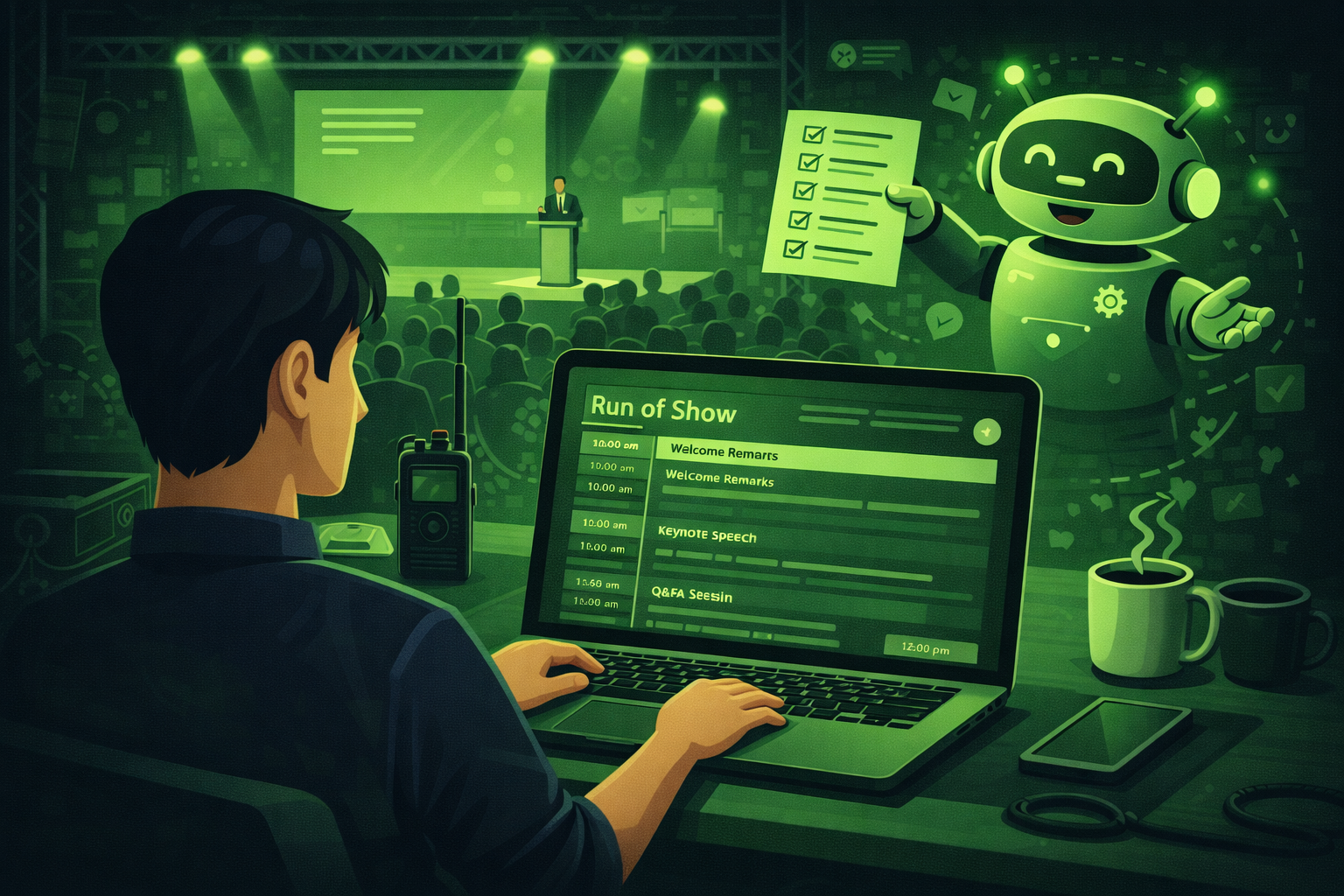
Quick answer
You can write a run-of-show with AI by giving ChatGPT your event details and asking it to build a minute by minute table with columns for time, duration, what happens, who is responsible, AV cue, and notes. The 6 prompts in this guide cover every step from the first draft to updating the document on the day.
A run-of-show is one of the most important documents you will make for any event.
It tells every person on your team what is happening, when it is happening, and what they need to do. Without it, things go wrong. Sessions run over time. Speakers miss their cues. The AV team plays the wrong slide. Catering arrives late.
Writing a good run-of-show by hand takes a long time. Most planners spend 3 to 5 hours on it. You have to think through every single minute of the day, assign each task to a person, and write clear notes for your AV team and crew.
AI can cut that time in half. This guide shows you how to use ChatGPT to build a full run-of-show from scratch. It also shows you how to check it, improve it, and share it with your team.
A run-of-show that is clear and detailed reduces on-the-day problems by a large amount. The time you spend on it before the event saves you 10 times as much stress on the day.
What is a run-of-show?
A run-of-show (also called a run sheet or show flow) is a minute by minute plan for your event.
It covers the whole day, from the moment the crew arrives to the moment the last guest leaves. It says who does what, when, and where.
A good run-of-show has these columns:
- Time: the exact time each action starts
- Duration: how many minutes it takes
- What happens: a clear description of the activity
- Who is responsible: the name or role of the person in charge
- AV cue: what the audio visual team needs to do at that moment
- Notes: anything else the team needs to know
It is different from an agenda. An agenda is what the audience sees. A run-of-show is what your team uses behind the scenes.
Step 1: Gather your information first
Before you ask AI to help, you need to have some basic facts ready. AI can only work with the information you give it. The better your input, the better your run-of-show will be.
Here is what to have ready before you start:
- The event name, date, and location
- The start time and end time
- A list of all sessions and activities in order
- The name and role of each speaker or presenter
- Any AV or tech requirements you already know about
- How long each session is planned to run
- The names or roles of your key team members
You do not need to have everything perfect. You can give AI a rough outline and ask it to help you fill in the gaps. But the more you give it, the less editing you will need to do.
Step 2: Build your first draft with AI
This is where AI saves you the most time. You give it your event details and it builds the full table for you.
Build your first run-of-show draft
You are an experienced event producer. Create a detailed minute by minute run-of-show for the following event.

Event name: [name]
Date: [date]
Venue: [venue name and location]
Event start time: [time]
Event end time: [time]
Crew call time: [time]
Doors open: [time]

Sessions and activities:
[List each session in order with the planned duration]

Key team members:
[List each person and their role]

Format the run-of-show as a table with these columns: Time, Duration (mins), What Happens, Who Is Responsible, AV Cue, Notes.

Make every entry specific and clear. Include transitions between sessions. Add a buffer row after each main session.
Pro tip: Paste all your event details in before you send this. The more detail you add to the sessions list, the better the draft. If you have a previous run-of-show from a similar event, paste it in and ask ChatGPT to use it as a reference.
Here is an example of what a good run-of-show table looks like for a half-day conference:
| Time | Mins | What happens | Who is responsible | AV cue | Notes |
|---|---|---|---|---|---|
| 08:00 | 60 | Venue opens. Crew set up registration desk. | Event manager | House music on. Lights at 60%. | Check badge printer is working. |
| 09:00 | 30 | Doors open. Attendees register and collect badges. | Registration team | Welcome video on screen. | Staff briefed at 08:45. |
| 09:30 | 5 | MC walks on stage. Welcome and housekeeping. | MC | Lighting up to full. Mic live. | AV test at 09:15. |
| 09:35 | 45 | Opening keynote: [Speaker name] | Speaker + AV tech | Slides loaded. Clicker ready. | Speaker arrives by 09:00. |
| 10:20 | 10 | Buffer and transition to breakouts. | Event manager | Breakout room signs up. | Flag if keynote runs long. |
| 10:30 | 60 | Breakout sessions run in parallel. | Session leads | Individual room AV active. | Check all rooms are open. |
| 11:30 | 30 | Coffee break and networking. | Catering team | House music on. | Catering ready by 11:20. |
| 12:00 | 60 | Lunch. Catering in main hall. | Catering team | Background music on. | Dietary tables clearly marked. |
| 13:00 | 5 | MC reconvenes attendees. | MC | Lights up. Mic live. | |
| 13:05 | 40 | Afternoon keynote: [Speaker name] | Speaker + AV tech | New slide deck loaded. | Confirm speaker on site by 12:30. |
| 13:45 | 15 | Panel Q and A. | MC + panellists | Audience mics ready. | |
| 14:00 | 5 | MC close. Thanks and wrap up. | MC | Outro video ready. | |
| 14:05 | --- | Crew breakdown begins. | Event manager | Music off. Work lights on. | Suppliers notified of end time. |
Why buffer rows matter
Most run-of-show problems happen at transitions. A speaker runs 3 minutes over. The next presenter is already walking to the stage. Nobody knows what to do. Buffer rows give your team permission to absorb small delays without the whole day falling apart. Always add them between major sessions.
Step 3: Check for missing cues and gaps
Once you have your first draft, ask AI to review it. It is very good at spotting things that are easy to miss.
Check your run-of-show for gaps
Here is my run-of-show for [event name]: [paste your table]. Review it carefully. Tell me:
1. Any moments where the timing looks too tight
2. Any AV cues that are missing or not clear enough
3. Any transitions that need more time
4. Any tasks that do not have a named person responsible
5. Anything else that could cause a problem on the day

Give your answer as a numbered list. Be specific.
Pro tip: This step takes 2 minutes but can save you a lot of stress on the day. Do it at least one week before the event so you have time to fix any problems you find.
Common things AI spots that planners miss:
- No one assigned to check the microphones before doors open
- Speaker slide decks not loaded on the laptop before the session starts
- No plan for what happens if a session runs 10 minutes over
- Catering arrival time not listed
- No crew break in a long day
- Registration desk closing time not noted
- No one assigned to thank sponsors from the stage
- AV cue for the closing video missing
Step 4: Add a backup plan for the most likely problems
Every event has moments where something does not go to plan. A speaker is late. The slides will not load. A session runs short.
A good run-of-show has a short backup plan for each of these moments. AI can help you write these in minutes.
Write backup plans for your key risk moments
Here is my run-of-show: [paste your table]. Identify the 5 moments in this event that are most likely to have a problem. For each one, write a simple 2 to 3 sentence backup plan that tells my team exactly what to do if things go wrong. Keep the language simple and clear. Format as a table with columns: Session or Moment, Most Likely Problem, What the Team Should Do.
Pro tip: Print this backup table and give a copy to your event manager and your AV lead. Keep one copy with you on the day. You will probably not need it. But if you do, you will be very glad you have it.
Do not skip this step
Most run-of-show documents have no backup plan at all. When something goes wrong, the whole team looks at the event manager. If you have a written plan, your team can act without waiting for instructions. This is the difference between a smooth recovery and a visible problem that guests notice.
Step 5: Write a version for your AV team
Your AV team works from a different version of the run-of-show. They only care about their cues. They do not need to know who is responsible for catering or when the registration desk closes.
Ask AI to pull out just the AV information and create a clean cue sheet for them.
Create an AV cue sheet from your run-of-show
Here is my run-of-show: [paste your table]. Create a separate AV cue sheet for my audio visual team. Include only the rows that require an AV action. For each row, list: the exact time, what the AV team needs to do, which piece of equipment is involved (microphone, screen, projector, lights, music), and any notes. Format as a table. Use very clear, simple language. Number each cue.
Pro tip: Send this to your AV team the day before the event. Ask them to confirm they have read it and flag any cues they need more information on. A confirmed cue sheet means fewer surprises on the day.
Step 6: Write a version for your speakers
Speakers do not need the full run-of-show. They need to know their slot, how long they have, what happens before them, and what happens after.
AI can write a short, clear briefing for each speaker in minutes.
Write a speaker briefing from your run-of-show
Here is my run-of-show: [paste your table]. Write a short briefing email for [speaker name] who is presenting at [time]. Include:
- What time they need to arrive at the venue
- Where to go when they arrive
- What happens right before their session
- How long their session is
- Whether there is a Q and A after their talk
- What happens right after their session
- Any AV or tech notes they need to know

Keep the email under 200 words. Use simple, friendly language.
Pro tip: Repeat this prompt for each speaker. Change the name and session details each time. Sending a personal briefing to each speaker makes them feel looked after and reduces the number of questions you get on the day.
Step 7: Update the run-of-show as things change
Run-of-show documents always change. A speaker drops out. A session gets moved. The venue changes a room layout.
Every time something changes, you need to update your run-of-show and share the new version with your team. AI can help you do this quickly.
Update your run-of-show after a change
Here is my current run-of-show: [paste your table]. I need to make the following change: [describe the change, for example 'the afternoon keynote has moved from 14:00 to 13:30 and is now 30 minutes instead of 45']. Update the run-of-show to reflect this change. Adjust the timing of all sessions that come after it. Flag any new timing conflicts this creates. Give me the full updated table.
Pro tip: Always name your files with a version number and date. For example: Run-of-Show-v3-15March.docx. This way your team always knows which version is the most recent. Send the updated version to everyone who has the old one.
Tips for a better run-of-show
Be specific about times
Do not write '9am registration'. Write '09:00 Registration desk opens. Two staff on duty. Badges sorted A to M on left, N to Z on right.' The more specific you are, the less you have to explain on the day.
Use roles, not just names
Write 'Event Manager' not just 'Sarah'. If Sarah is sick on the day, whoever replaces her can still use the document. Always put the person's name in brackets after the role: Event Manager (Sarah).
Think in minutes, not chunks
Five minutes is a long time in a live event. Break your sessions into small blocks. A 60 minute keynote is not one row. It has a speaker walks on stage row, a talk begins row, a Q and A begins row, and a speaker leaves stage row.
Share it early
Send the run-of-show to your whole team at least 5 days before the event. Give people time to read it, ask questions, and flag problems. A run-of-show that nobody reads until the morning of the event is not useful.
Print a copy
On the day of the event, carry a printed copy. Phones lose battery. Laptops crash. A printed copy never fails. Laminate the first page with the daily overview so it survives a spilled coffee.
Questions people ask about run-of-show documents
What is the difference between a run-of-show and an agenda?
An agenda is the version you share with your guests. It shows them what sessions are happening and when. A run-of-show is the internal document for your team. It goes into much more detail about who does what, what tech cues are needed, and what to do if something goes wrong. Guests never see the run-of-show.
How far in advance should I write the run-of-show?
Start a rough version as soon as you have your programme confirmed. You will update it many times before the event. Aim to have a final version ready 5 working days before the event. Send it to your team and ask for feedback. Lock it 48 hours before the event and only make changes if they are urgent.
How detailed does a run-of-show need to be?
For a small event with a simple programme, a basic table with 10 to 20 rows is enough. For a large conference with multiple rooms and a complex programme, you might have 50 to 100 rows. The right level of detail is whatever your team needs to do their job without asking you questions on the day.
Can AI write a run-of-show for a virtual or hybrid event?
Yes. The same prompts work for virtual and hybrid events. For virtual events, add columns for the platform cue (who manages the streaming software) and the chat moderator. For hybrid events, add separate rows for the in-room experience and the online experience at each transition point.
What happens if the run-of-show changes on the day of the event?
It will. Every event changes on the day. The best run-of-show documents have clear time buffers built in so that small delays do not become big problems. When a session runs over, your event manager makes a call: cut the Q and A short, reduce the break, or adjust the next session. They need to know in advance that they have that authority.
Should I share the run-of-show with my client?
You can share a simplified version with your client. Remove the internal crew notes and the backup plans. Clients do not need to see every small detail. Give them a version that shows the session timings, the key speakers, and any moments that need their input or approval. Keep the full version for your team.
Final thoughts
A run-of-show takes time to write. But the time you put into it before the event is paid back many times over on the day.
When every person on your team knows exactly what to do and when to do it, you can focus on the things that only you can handle. The conversations with your client. The decisions that come up that nobody planned for. The small touches that make guests feel looked after.
AI does not replace the thinking you put into a run-of-show. But it handles the first draft, spots the gaps, writes the AV cue sheet, and updates the document when things change. That is a lot of time saved.
Start with Prompt 1 on your next event. Give ChatGPT your event details and see what it gives you. You will be surprised how close it gets to a finished document in one go.
Pair this with ChatGPT for event planning for more prompt ideas.
The next post in this series covers how to use AI for venue sourcing. It is one of the most time-consuming parts of event planning and AI can do a big part of the work for you. Subscribe below to get it when it publishes.
Related posts
Keep reading
How to Use AI to Repurpose Event Content After the Event
Most events create hours of video nobody watches. AI plus transcripts helps you turn sessions into blogs, social posts, newsletters, and scripts if you verify every quote.
How to Use AI to Create Your Event Marketing Content
AI can draft save-the-dates, social calendars, speaker posts, and recaps from one brief. You still verify facts, brand voice, and anything you publish live.
How to Use AI to Find and Pitch Event Sponsors: A Step-by-Step Guide
Use AI to research sponsors, draft outreach, build tiers, and write renewal reports. You still own relationships, pricing decisions, and every send to key accounts.